Logbook tab

Your logbook and currency

Add a recorded flight and check the entry before you save it, or add entries yourself. Totals and currency follow from the logbook.

A planning aid. You are responsible for checking your own currency against current regulations.

After the flight

From the flight to the logbook

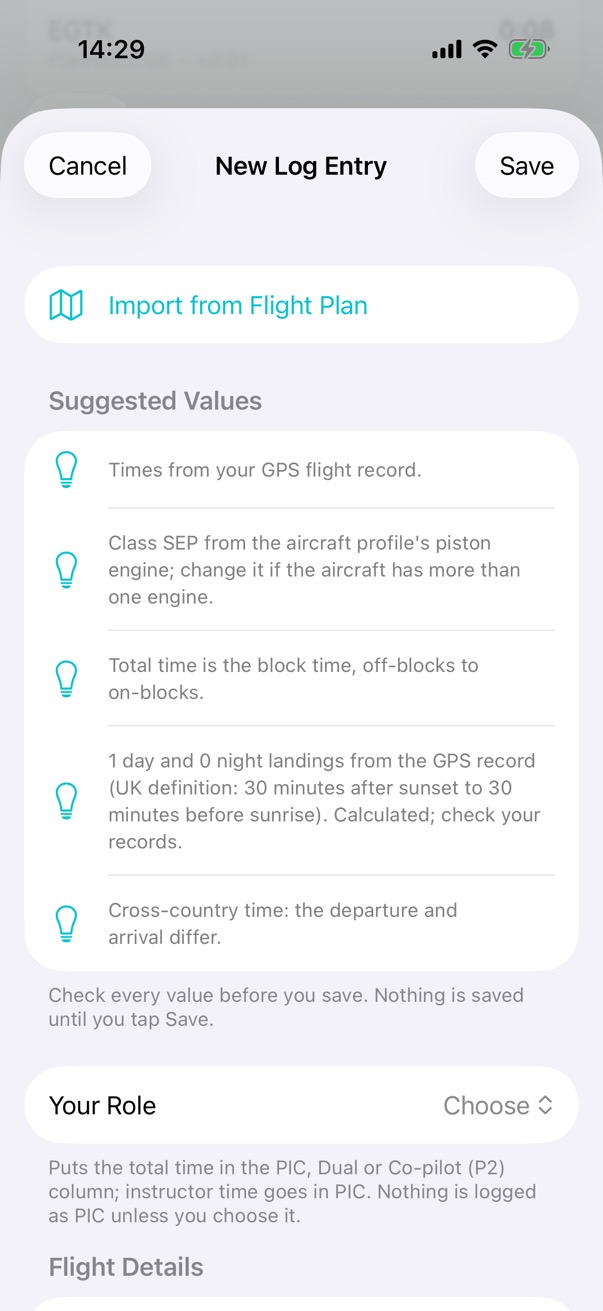
Add to Logbook opens a new entry with the times from the GPS record, the aircraft's class, the night time, and the day and night landings by the UK definition. Check each value: nothing is saved until you tap Save.

What it does

  • Add entries yourself, or add a recorded flight and check the entry before you save it.
  • The app never adds or changes an entry by itself.
  • Choose your role, and the total time goes in the PIC, dual or co-pilot (P2) column. Instructor time goes in PIC.
  • Totals for your flying.

How it works

Recorded flightOff-blocks 13:07ZOn-blocks 13:29Z1 landing, by dayEGBJ → EGTKG-TEST, piston Total 0:22the block time Class SEPfrom the piston engine Landings 1 day, 0 nightUK night definition Cross-country 0:22departure ≠ arrival You checkthen Save
Add to Logbook suggests each value from the recorded flight, and says where it came from. Nothing is saved until you check the entry and tap Save; the app never adds or changes an entry by itself.

Step by step: logging a flight

Steps
A new log entry made from the recorded flight. It lists the values suggested from the GPS record: the times, class SEP from the aircraft profile, the total time, one day landing by the UK definition, and cross-country time, and says to check every value because nothing is saved until you tap Save.

Step 1 of 4

Suggested values

Add to Logbook lists what it suggests, and where each value came from.
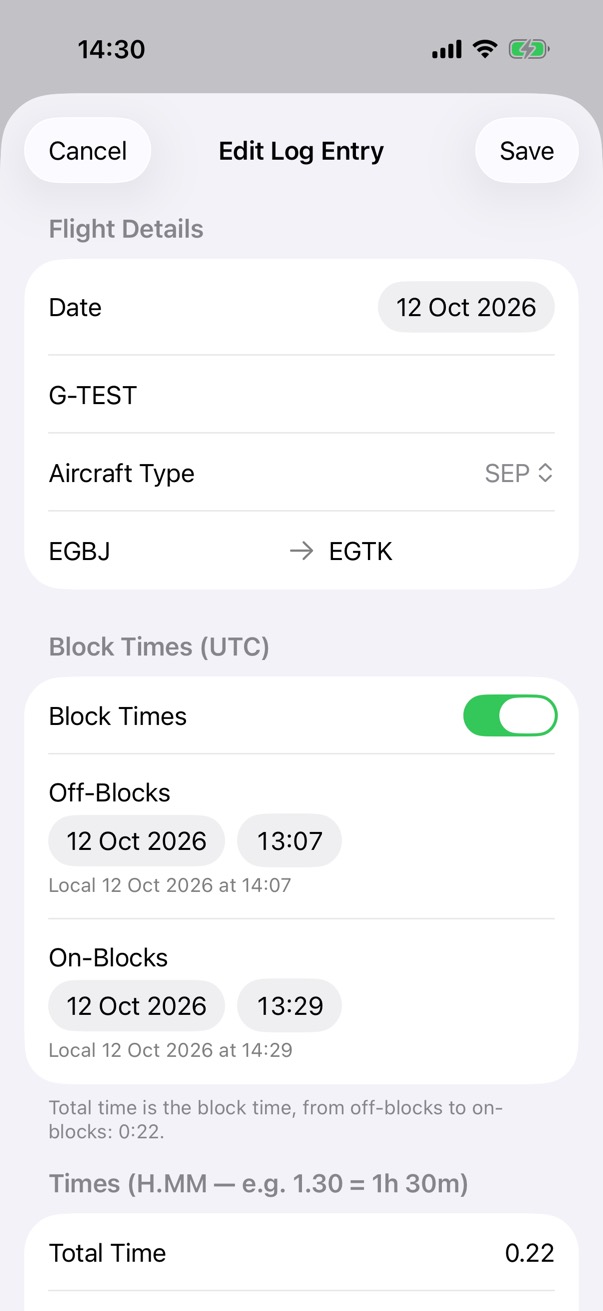
Edit Log Entry for the flight: 12 October 2026, G-TEST, an SEP aircraft, from EGBJ to EGTK, with block times from 13:07 to 13:29 UTC.

Step 2 of 4

The entry

The date, aircraft, class and route, with the block times in UTC and local time.
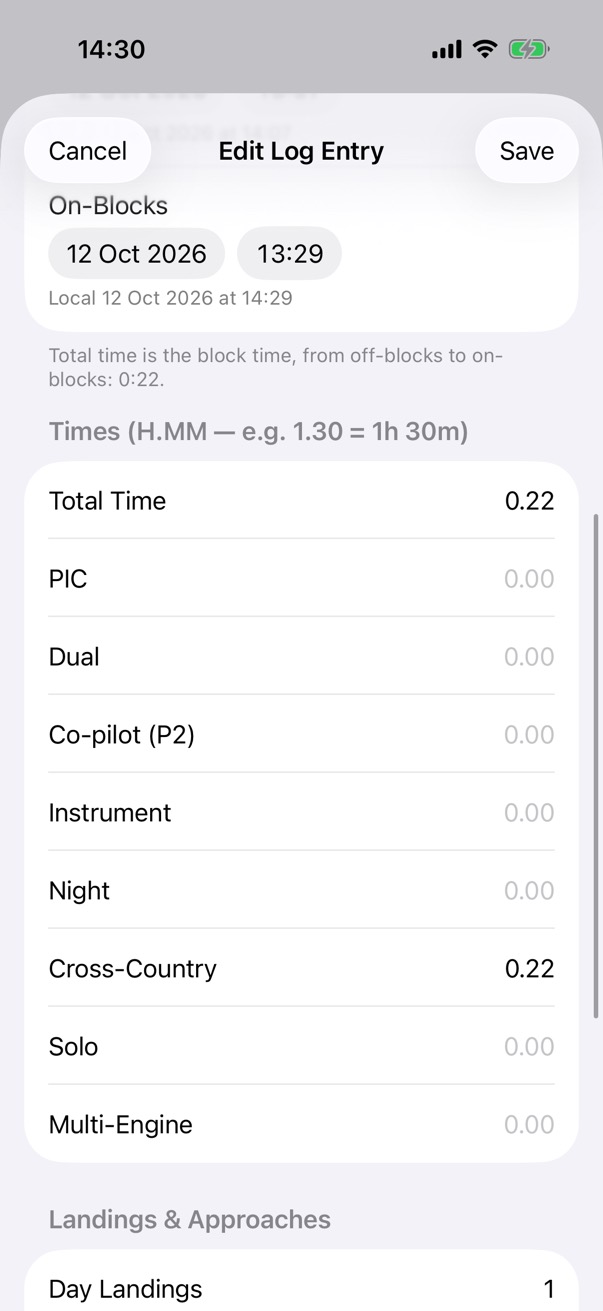
The entry's times, in hours and minutes: a total time of 0.22 and cross-country time of 0.22, with columns for PIC, dual, co-pilot, instrument, night, solo and multi-engine, and one day landing.

Step 3 of 4

The times

Each column in hours and minutes, and the day and night landings.
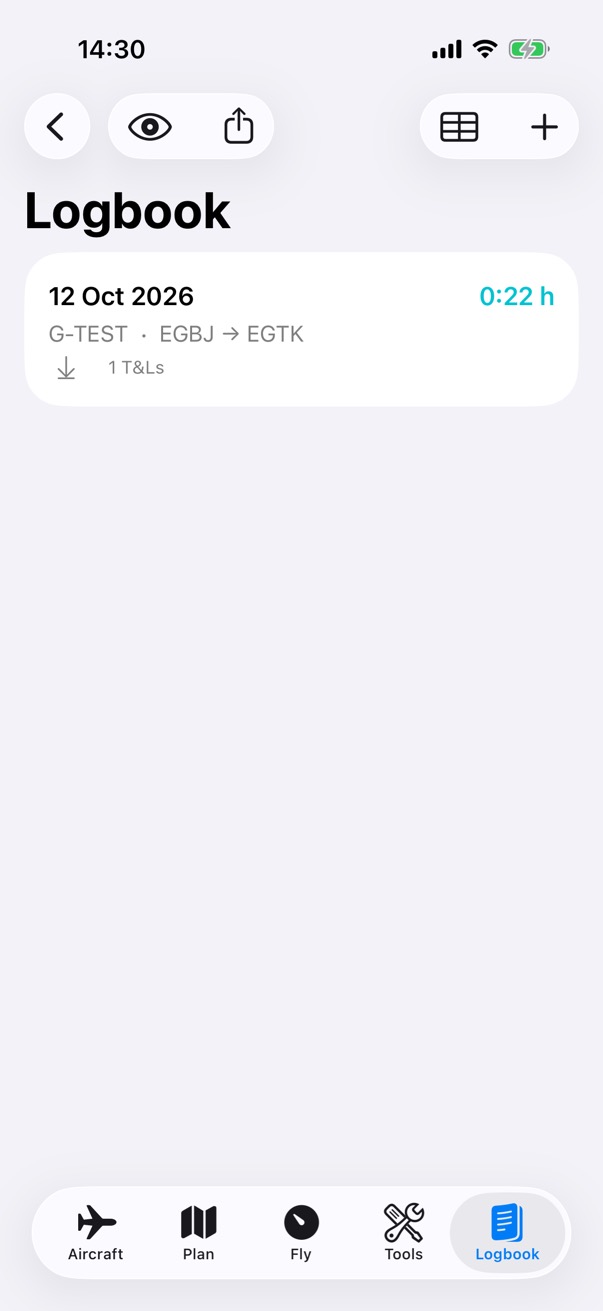
The logbook with one entry: 12 October 2026, G-TEST from EGBJ to EGTK, 0:22 hours and one take-off and landing.

Step 4 of 4

Saved

Tap Save, and the entry is in your logbook.
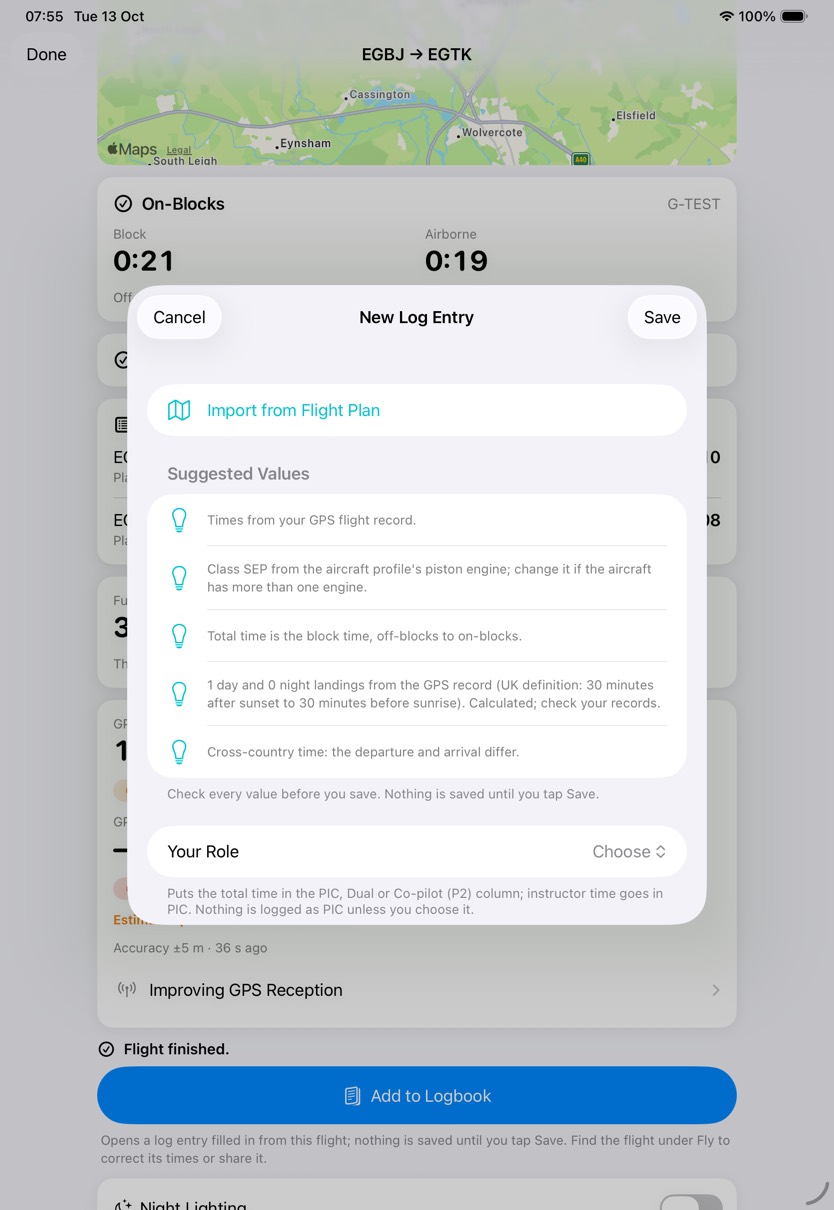
A new log entry on iPad, as a sheet over the finished flight: the values suggested from the GPS record, from the times to one day landing by the UK definition and the cross-country time, and the note that nothing is saved until you tap Save.
A new log entry, on iPad.

Night

Night time and night landings

Worked out from the sun's position at the aircraft through the flight, under the UK definition: from 30 minutes after sunset to 30 minutes before sunrise.

What it does

  • Night time, from the sun's position each minute along the recorded track.
  • Day and night landings, under the same definition.
  • The definition used is shown on the entry and on the flight report.
  • Calculated values, for you to check against your records.

How it works

00:00 06:00 12:00 18:00 24:00 Sunrise 06:27 Sunset 17:22 Night Night The flight, 13:07 to 13:29 UTCnight time 0:00 12 OCTOBER 2026 AT EGBJ, UTC
How night time is worked out: by the sun's position along your track, under the UK definition of 30 minutes after sunset to 30 minutes before sunrise. The example flight is in daylight, so night time is 0:00. Times are UTC, rounded.

Currency

Recency and currency

Worked out from the logbook against UK PPL and LAPL rules, with rules of your own alongside them.

What it does

  • Your recency and currency, worked out from the logbook, against UK PPL and LAPL rules.
  • Rules of your own: what to measure, a time window, and the counts for green and amber.
  • Reminders, as notifications on your device.
  • A currency widget for your Home Screen.

How it works

13 Jun 13 Jul 12 Aug 11 Sep 12 Oct Last 90 days 12 Oct: 1 day landing Club checkout: 1 landing, below green at 3, at amber 1: due soon AN EXAMPLE RULE OF YOUR OWN: DAY LANDINGS IN THE LAST 90 DAYS
Every currency item works the same way: count the entries in a time window and compare them with thresholds. Here an example rule of your own, with green at 3 and amber at 1, counts the example logbook's one landing. The app reports what your logbook says; it never says whether you're legal to fly.

Step by step: currency

Steps
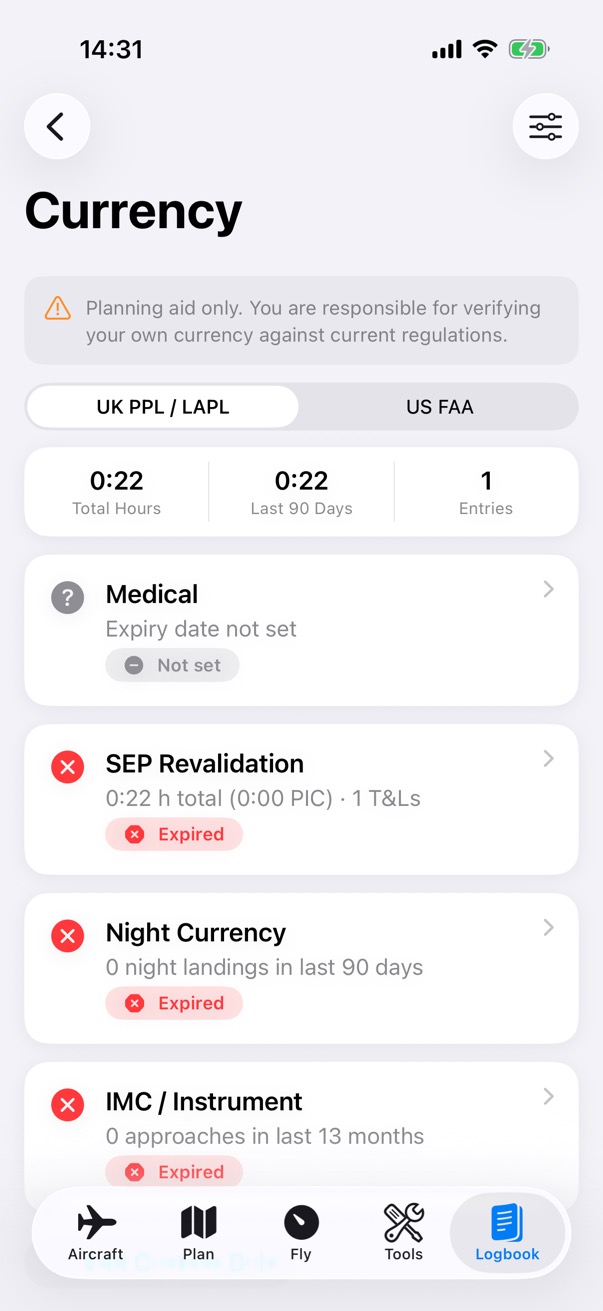
The Currency screen under UK PPL and LAPL rules: 0:22 hours in total from 1 entry, then the medical with no expiry date set, and SEP revalidation, night currency and IMC and instrument, each marked expired.

Step 1 of 3

Currency

Your totals, then each item with its status.
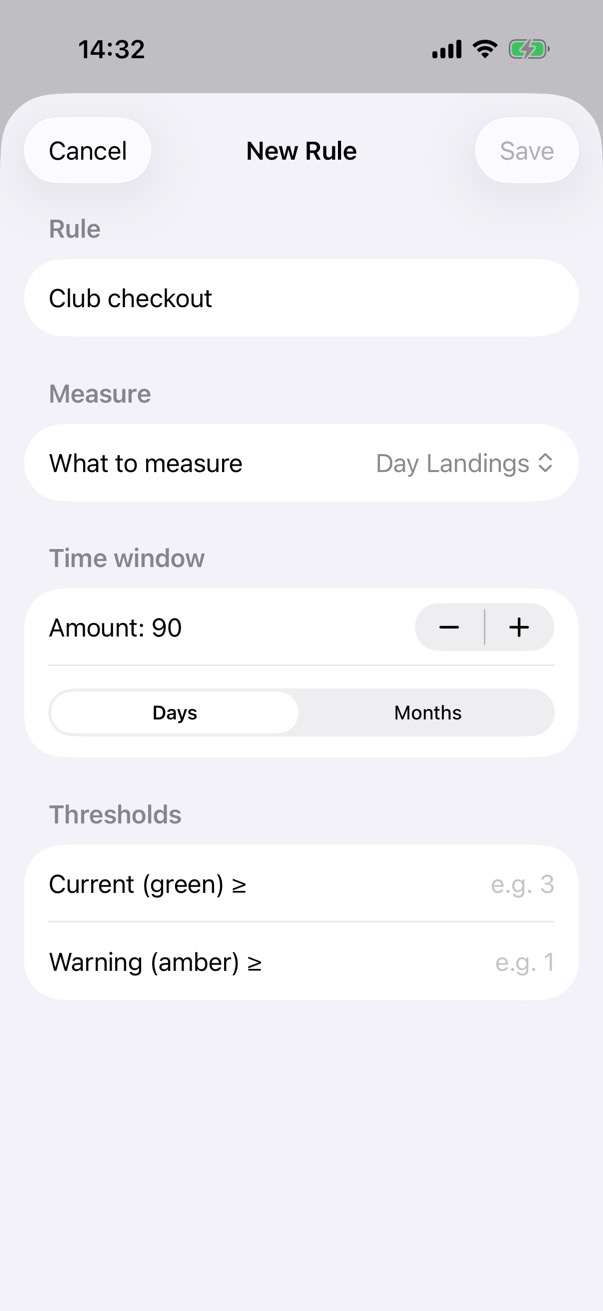
A new currency rule of your own, Club checkout: day landings within 90 days, with thresholds for green and amber.

Step 2 of 3

A rule of your own

Name the rule, choose what to measure and the time window, and set the counts for green and amber.
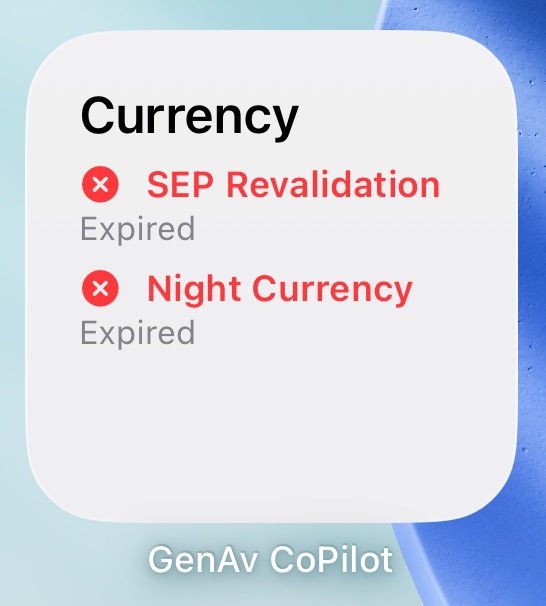
The GenAv CoPilot currency widget on the Home Screen, in the small size: Currency, with SEP Revalidation expired and Night Currency expired.

Step 3 of 3

On your Home Screen

The currency widget shows the items most in need of attention.
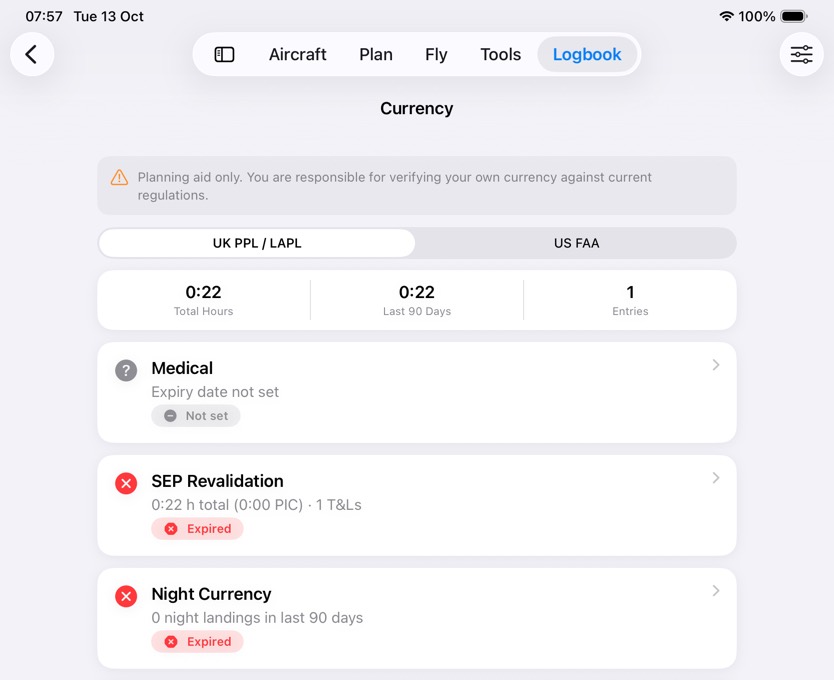
The Currency screen on iPad under UK PPL and LAPL rules: 0:22 total hours from one entry, the medical with no expiry date set, and SEP revalidation and night currency marked expired.
Currency, on iPad.

Import and export

Your logbook, in and out

Export the logbook as a PDF or a CSV file, or bring an existing logbook in from a CSV file.

What it does

  • Export the logbook as a PDF or a CSV file.
  • Import from a CSV file, which a spreadsheet can save. Match each column to a logbook field, and say whether dates are day first or month first.
  • Times can be decimal hours (1.5) or hours and minutes (1:30).
  • You see a preview of every entry and can leave any out. A backup copy of your logbook is made first, and existing entries aren't changed.

How it works

logbook.csv Date 12/10/2026 Aircraft G-TEST From EGBJ To EGTK Total 0:22 Date Aircraft Departure Arrival Total time Day first: 12/10/2026 is 12 October.You match each column, then check a preview.
Bringing a logbook in from CSV. You match each column to a logbook field and say whether dates are day first; times can be 1.5 or 1:30. You see every entry before it's added, and a backup copy of your logbook is made first.
NextApple WatchThe flight and your checklists, on your wrist.