Apple Watch

The flight on your wrist

Your checklists, the flight's status while your iPhone records, a fuel tank reminder and a GPS tracker of its own.

Situational awareness only. Not for primary navigation.

While your iPhone records

The flight's status

The block and airborne times, the next waypoint with its distance, bearing and ETA, the fuel estimate and the GPS quality.

What it does

  • Sent from your iPhone while it records a flight, so keep it nearby.
  • The next waypoint, with its distance, bearing and ETA.
  • If its last update is over 2 minutes old, the Watch says so and asks whether your iPhone is nearby.

How it works

iPhone Watch next waypoint 15 s 15 s at once 1 min, no change 0 s 30 s 60 s 90 s 120 s 150 s over 2 min old: flagged
How the Watch keeps up. The iPhone sends the flight's newest status at most every 15 seconds, straight away for a meaningful change such as a new next waypoint, and once a minute even if nothing has changed. If its last update is over 2 minutes old, the Watch asks whether your iPhone is nearby.

Step by step: on the Watch

Steps
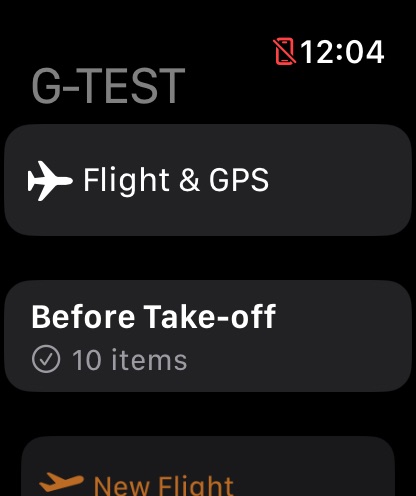
The Watch app for G-TEST: Flight and GPS, the Before Take-off checklist with 10 items, and New Flight.

Step 1 of 3

The app

The Watch app opens on your aircraft, with Flight & GPS and the aircraft's checklists.
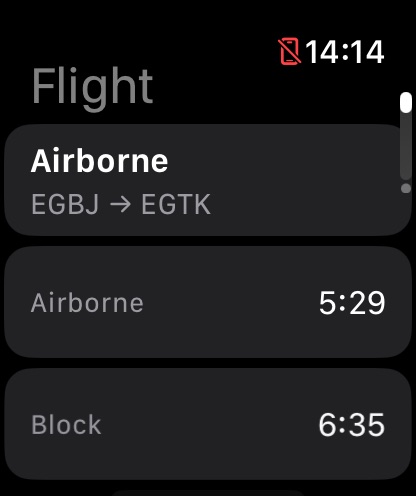
The Watch Flight screen while the iPhone records the EGBJ to EGTK flight: Airborne, with an airborne time of 5:29 and a block time of 6:35.

Step 2 of 3

The flight

The phase of flight, with the airborne and block times.
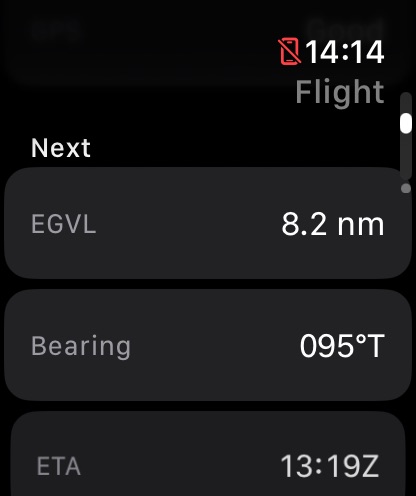
The Watch Flight screen's next waypoint: EGVL, 8.2 nautical miles away on a bearing of 095 degrees true, with an ETA of 13:19 UTC.

Step 3 of 3

Next waypoint

The next waypoint's distance, bearing and ETA.

Checklists

Checklists on your wrist

Your aircraft's checklists, sent from your iPhone. Tick items off as you go.

How it works

Parking brake Parking brake Fuel selector Fuel selector Fuel pump Fuel pump iPhone Apple Watch checklists, when your aircraft change ticks, while your iPhone is nearby
Your checklists are kept with the aircraft on your iPhone and sent to your Apple Watch whenever your aircraft change. Tick an item on the Watch and the tick comes back to your iPhone while it's nearby.

Step by step: a checklist

Steps
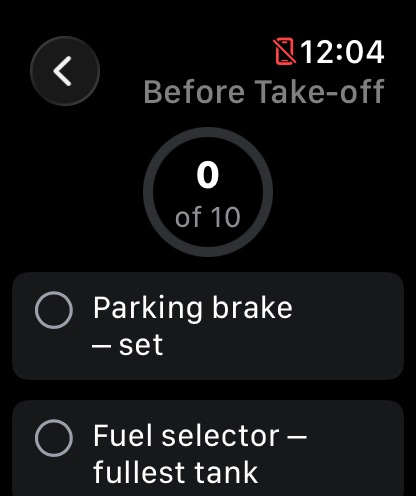
The Before Take-off checklist on the Watch, 0 of 10 done, starting with the parking brake and the fuel selector.

Step 1 of 2

Open it

Open a checklist from the Watch app. It counts the items done.
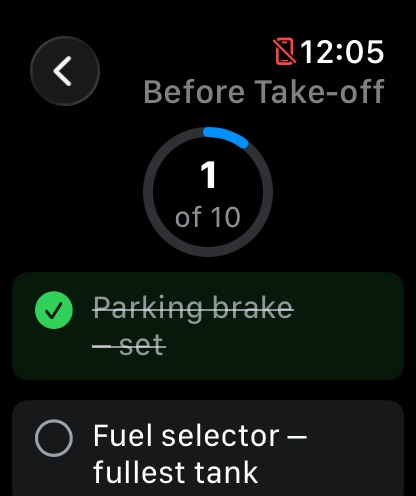
The Before Take-off checklist on the Watch with the parking brake ticked off, 1 of 10 done.

Step 2 of 2

Tick it off

Tap each item as you go. The ticks come back to your iPhone while it's nearby.

Fuel

Fuel tank reminder

A reminder to switch tanks at the interval you choose. It's a reminder only: follow your fuel plan and the aircraft's POH.

How it works

0 min 15 min 30 min 45 min 60 min 75 min 90 min Start: every 30 min Switch tanksa tap on your wrist Switched 30 min later
The fuel tank reminder is a notification, with a tap on your wrist, every 15, 20, 30, 45 or 60 minutes until you stop it. Tap Switched and the interval starts again from then. A reminder only: follow your fuel plan and the POH.

Step by step: the reminder

Steps
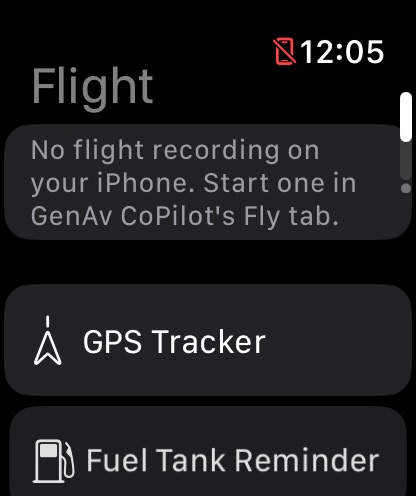
The Watch Flight screen with no flight recording on the iPhone, and buttons for the GPS Tracker and the Fuel Tank Reminder.

Step 1 of 2

Flight

With no flight recording on your iPhone, Flight offers the GPS Tracker and the Fuel Tank Reminder.
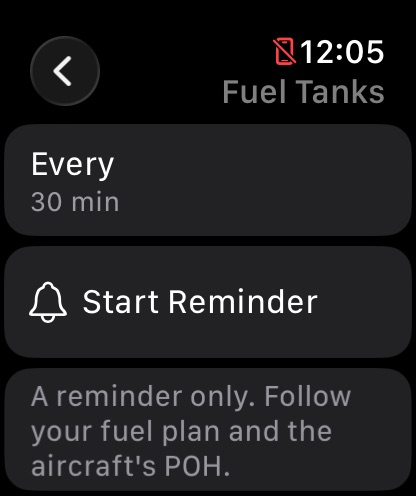
The Fuel Tanks reminder on the Watch: every 30 minutes, a button to start the reminder, and a note that it is a reminder only.

Step 2 of 2

Fuel Tanks

Choose the interval and start the reminder. Tap Switched each time you change tanks.

The Watch's own GPS

GPS tracker

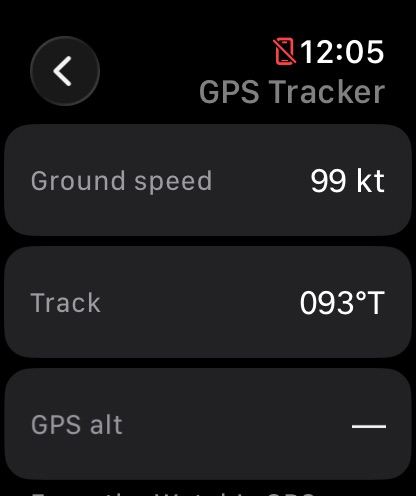
Ground speed, track, a breadcrumb map and the nearest airports, from the Watch's own GPS, or your iPhone's GPS while it records.

What it does

  • Location is asked for only when you start the tracker, and used only while it runs.
  • The track stays on the Watch and isn't saved.
  • Nearest airports and direct-to, from the airport list your iPhone sends.

How it works
You a fix every 50 m Nearest airport bearing, distance The track stays on the Watch and isn't saved
The Watch's own GPS takes a fix every 50 m and draws a breadcrumb trail, with the nearest airports from the airport list your iPhone sends. While your iPhone records a flight, the Watch uses its position instead.
The Watch GPS Tracker from the Watch's own GPS: ground speed 99 knots and track 093 degrees true.
The GPS Tracker, from the Watch's own GPS.
NextWidgets & SiriThe Live Activity, the currency widget and Siri.